
We’re excited to announce a new release of the Arctic Data Center’s software platform (Metacat UI 2.37.0), with powerful new ways to explore datasets and create richer data portal experiences. This release presents improvements to dataset version history, interactive mapping capabilities, and overall usability.
Explore the Complete Version History of a Dataset
Research datasets often evolve over time as new information becomes available, corrections are made, or additional analyses are completed. Understanding those changes and identifying the exact version of a dataset used in an analysis are essential for reproducible research.
One feature of the Arctic Data Center that often goes unnoticed is its strict approach to dataset versioning. Every change to a dataset, no matter how small, creates a new, uniquely identifiable version that is linked into the dataset’s version chain. This provides a complete record of how a dataset has evolved over time, making it easy for researchers to cite, reproduce, and revisit specific versions used in an analysis.
Some data repositories take a different approach, updating the contents of a dataset without issuing a new version for every change, meaning the data associated with a given version identifier may evolve over time. In contrast, the Arctic Data Center, through its participation in the DataONE repository network, ensures that each version represents a stable, citable snapshot of the data while preserving a complete history of all revisions.
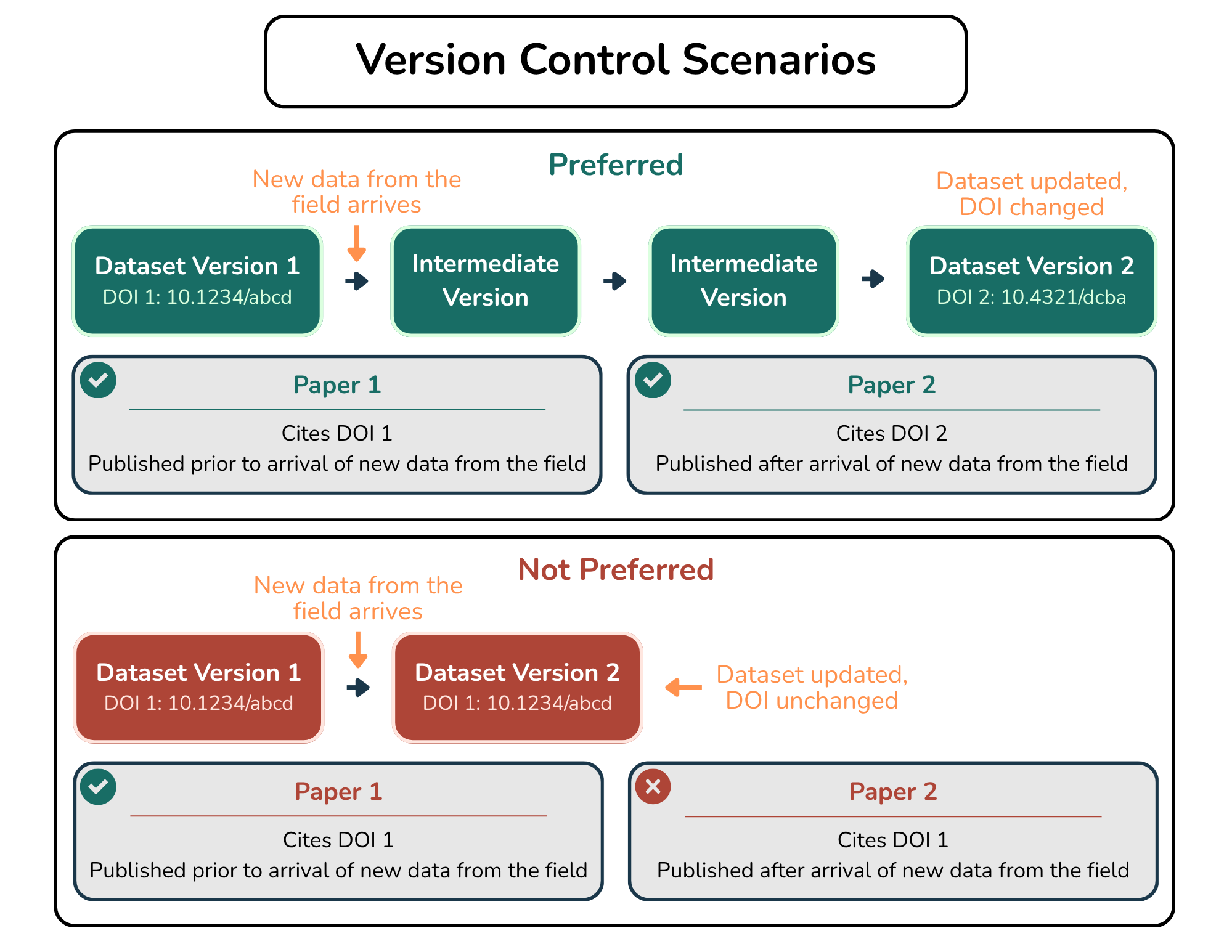
Graphic showing the importance of versioning.
With this release, exploring that history is much easier. A new version history view on each dataset landing page allows users to see how a dataset has developed across multiple releases and quickly navigate between available versions. This makes it simpler to understand the progression of a dataset and locate the specific release that best matches a research project or publication.
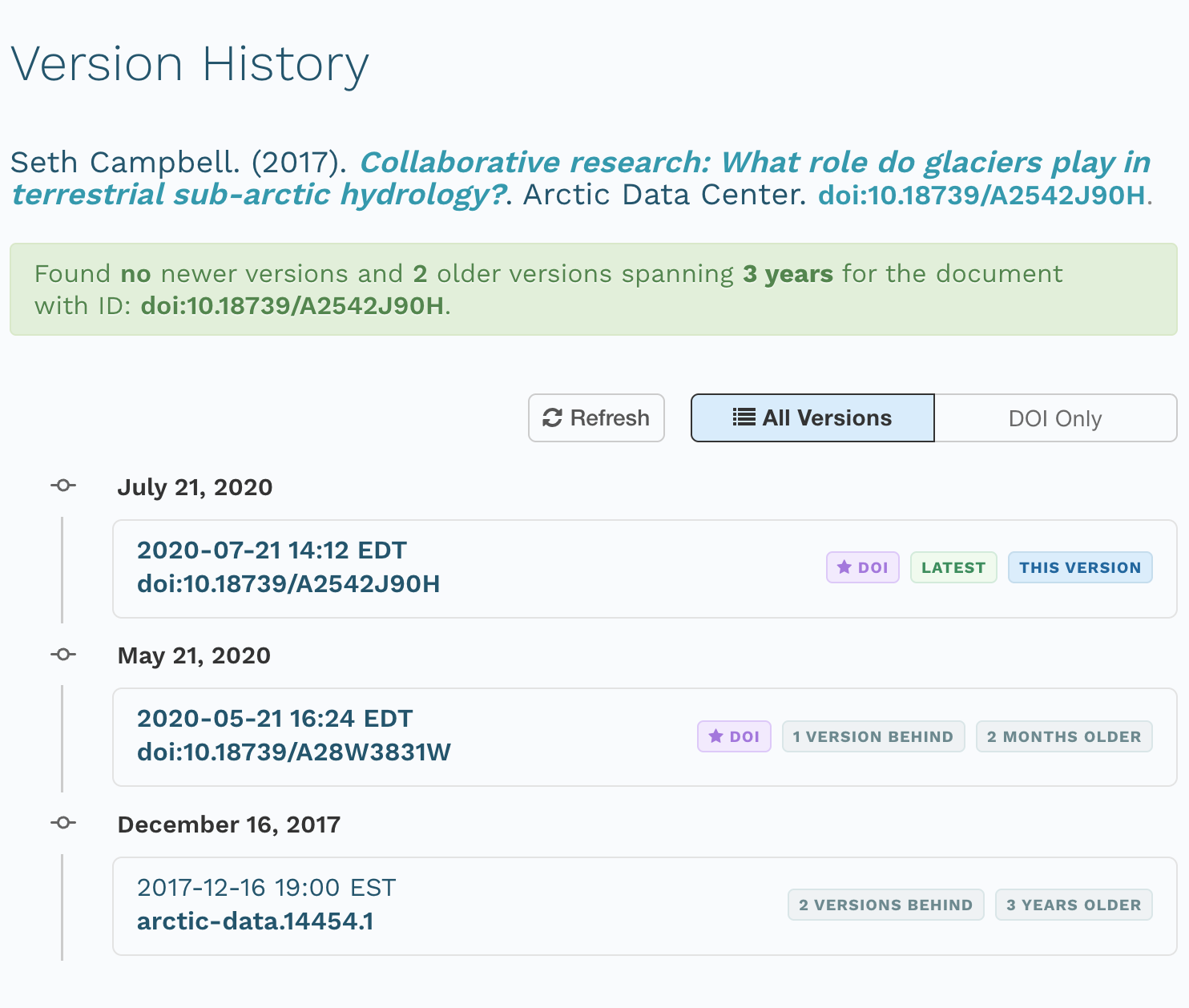
Example of a dataset’s version history after the Metacat UI 2.37.0 upgrade.
Other Improvements
The software release also includes additional usability improvements and bug fixes, including making the Arctic Data Center footer and navigation bar consistent across every webpage.
See the Release Notes for a complete list of changes, and stay tuned for our next blog post on new interactive mapping capabilities in data portals. If you’d like to request a new feature or bug fix, please open an issue with details on our GitHub repository.