
Read time: ~4 mins
The Arctic Data Center software development team continues to improve MetacatUI, the software that powers our data repository and customized data portals. The latest release, version 2.41.0, introduces new features for creating interactive 3D maps, naming and finding data portals, and tracking map layer loading. The update also includes improvements to dataset metadata editing, citations, and downloads, along with a range of bug fixes.
Customize Portal Maps
Portal owners can now add and manage imagery layers directly through the portal editor. This first release allows owners to add imagery layers, edit layer labels and descriptions, remove or reorder layers, and move layers between existing categories.
The Permafrost Discovery Gateway is already putting this feature to work. Their customized Imagery Viewer combines high-resolution imagery from Web Map Tile Service (WMTS) tiling with other Arctic data layers. Explore their portal here.
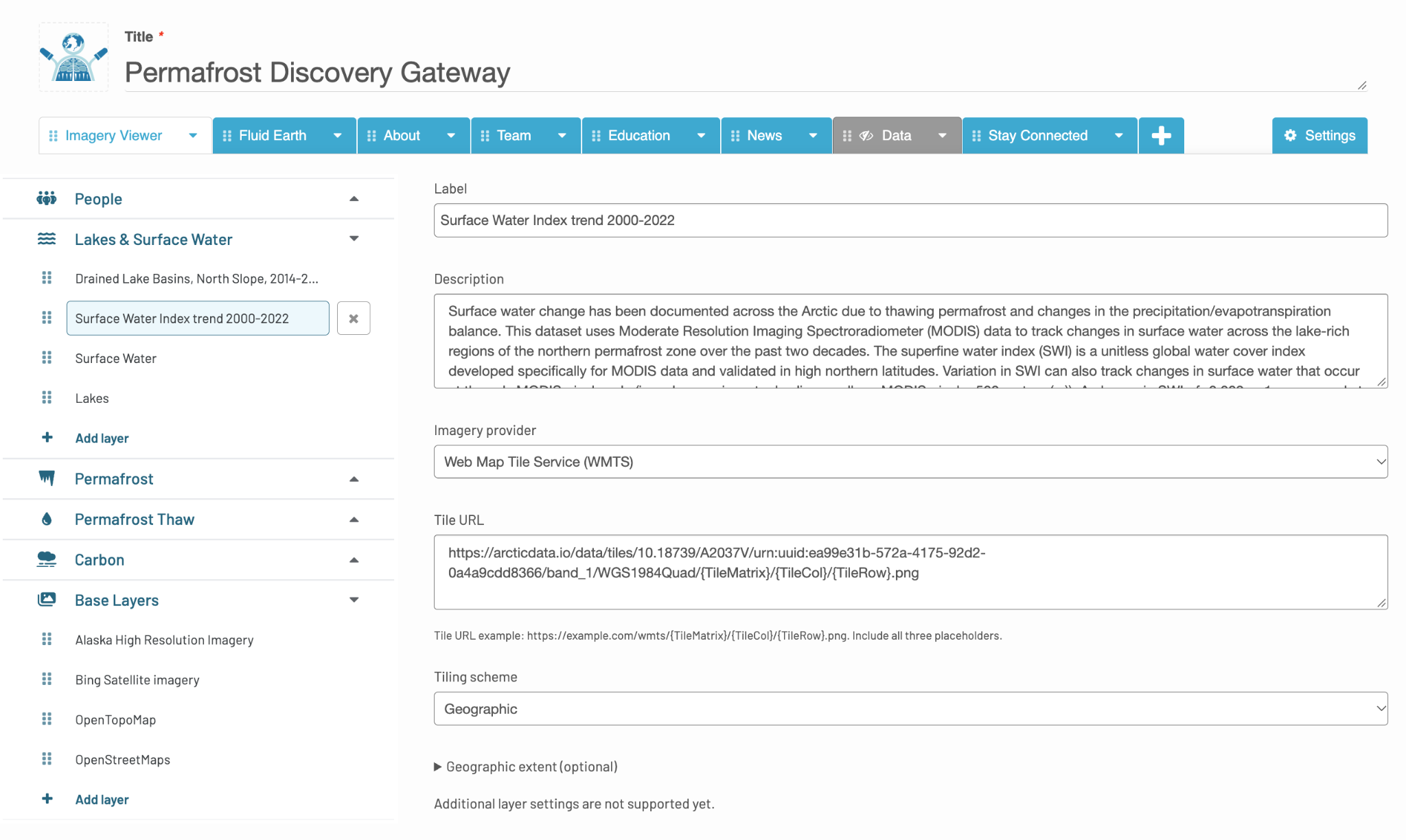
Screenshot of the layer editor in action. You can drag layers to reorder them, click on a different layer to edit its label and description, or “Add layer” to include in a new imagery.
This release established the initial map-editing functionality, with a live preview and additional configuration options planned for later updates.
A Clearer View of Map Activity
When exploring a map, it can take time for detailed layers to appear. Portal maps now provide a loading indicator near the map scale and in the layer list to show which layers are still being processed for display.
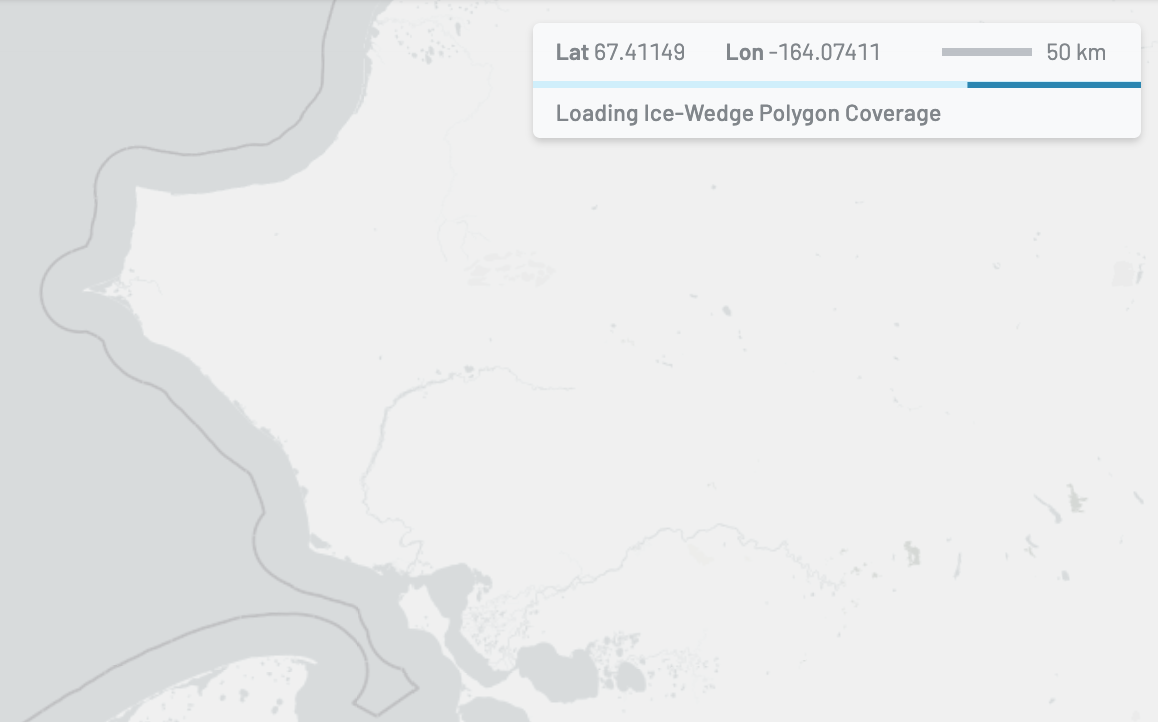
A new bar is displayed under the scale bar to indicate layer loading progress.
Finding the Right Portal
Previously, users would need to scroll through the full portal directory to find the portal they’re interested in. The directory now supports keyword searches across both the portals a user owns and the full collection of data portals, giving users another way to locate a project by its name or subject.
Creating a portal has also become more accessible. Signed-in users no longer need a DataONE Plus subscription or a portal quota to create a portal or choose a custom portal URL for your portal. Before, new portals defaulted to a numbered URL (e.g., …/portals/12345). Now, your URL can reflect your project or subject’s name (e.g., …/portals/cyrology).
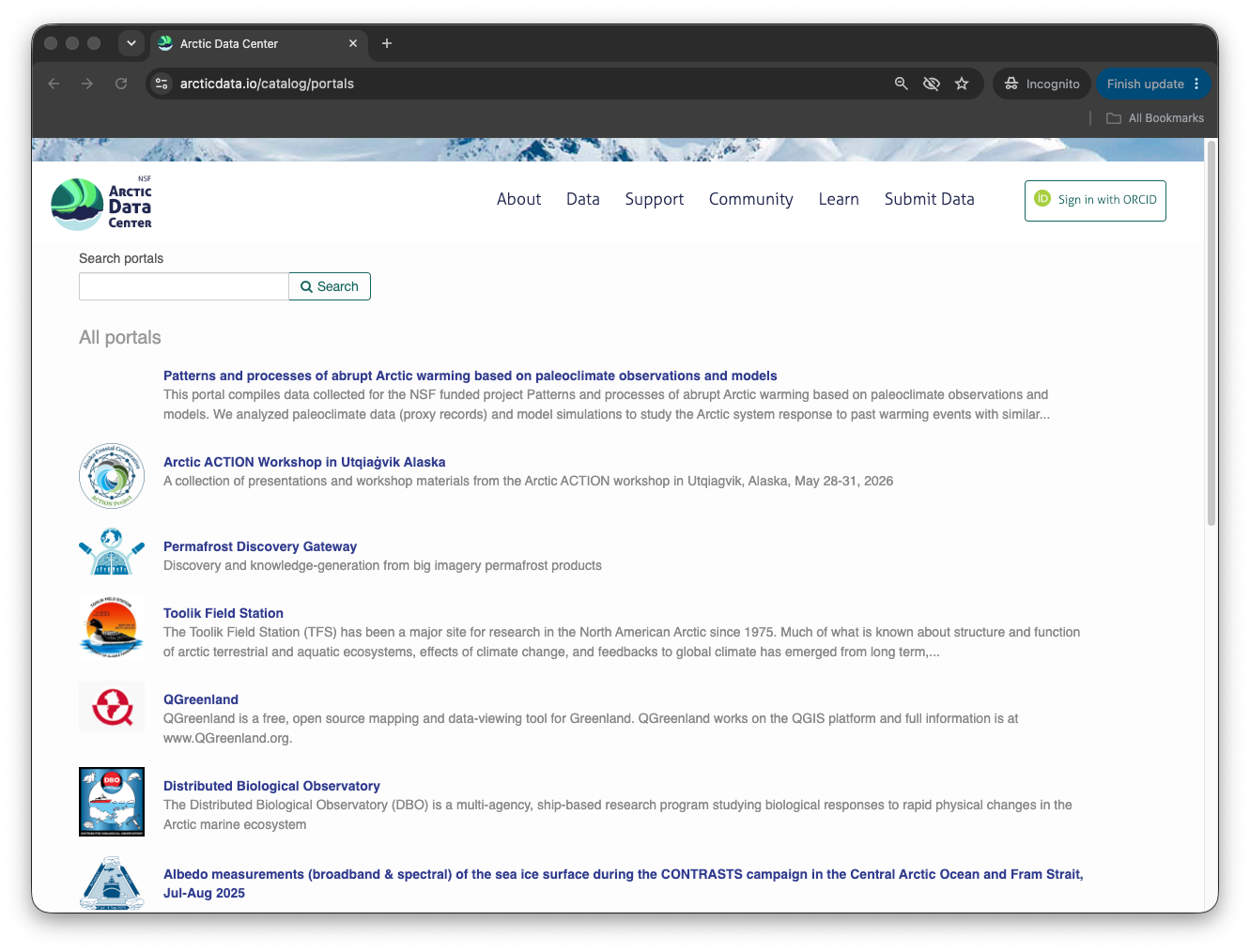
Screenshot of the portal directory featuring the new search bar at the top left.
Learn More
Alongside the new portal features, this release includes several improvements and bug fixes that address dataset permissions, date and time information, the handling of saved dataset references, and much more.
For the complete technical details, see the MetacatUI 2.41.0 release notes.